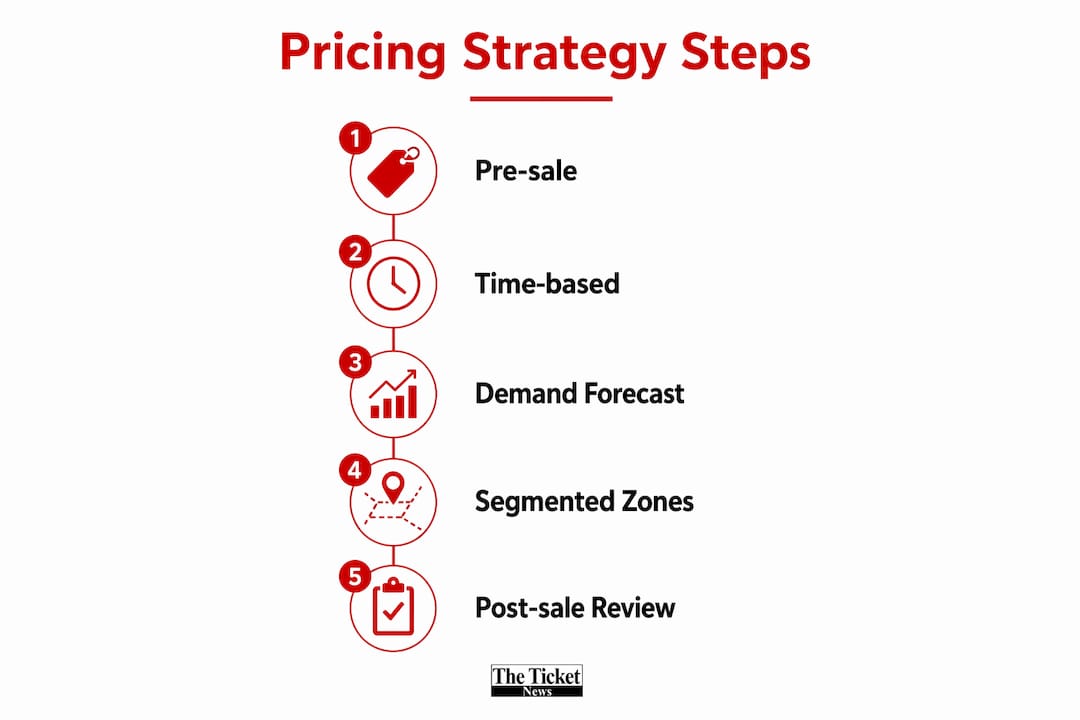
Seat map pricing works by sorting seats into tiered price buckets, then adjusting those prices based on demand signals like time-to-event and sales velocity, so each seat sells at the highest price the market will bear. That’s the entire mechanism. The rest is execution.
- Pricing tiers/zones: Seats get grouped by sightline, proximity, and comfort into price buckets.
- Demand signals & algorithms: Rules or machine learning models raise or lower prices as booking pace changes.
- UX presentation: Color coding, labels, and scarcity cues nudge buyers toward higher-value seats.
Airlines pioneered a lot of this thinking. The MIT research on airline revenue management shows carriers routinely run 10 to 26 fare classes on a single flight, closing cheaper buckets as demand builds. Live events borrow the same playbook, just applied to a seating chart instead of a boarding pass.
Key Takeaways
Seat map pricing converts seat location into tiered price buckets, then applies demand and time-based signals to adjust prices toward the highest revenue-compatible level for each seat.
| Point | Details |
|---|---|
| Tiers come first | Build price buckets from sightlines and proximity before adding any dynamic pricing layer. |
| Fare-buckets protect revenue | Closing cheaper buckets as demand rises keeps premium inventory from underpricing itself. |
| Guardrails prevent backlash | Set price floors and daily movement caps before turning on algorithmic pricing. |
| RevPAS is the core metric | Track revenue per available seat alongside fill rate and complaint volume during pilots. |
| UX drives conversion | Clear labeling and honest scarcity cues lift upsells without damaging buyer trust. |
Table of Contents
- What Is Seat Map Pricing, Exactly?
- How Are Pricing Tiers and Fare-Buckets Built?
- How Does Dynamic Pricing Actually Change Seat Prices?
- How Does Seat Map Design Influence Buyer Behavior?
- What Do You Need to Implement Seat Map Pricing?
- Which KPIs Prove Seat Map Pricing Is Working?
- What Guardrails Keep Dynamic Pricing Fair?
- How Do You Roll Out Seat Map Pricing Step by Step?
- What Does a Real Seat Pricing Case Look Like?
- What Should You Prioritize First?
- Sources
- FAQ
What Is Seat Map Pricing, Exactly?
Seat map pricing means assigning each seat (or block of seats) to a price tier based on its location, then charging accordingly, whether that’s a base ticket price difference or a paid seat upgrade layered on top. It’s the mechanical backbone behind why a floor seat costs three times more than an upper-level seat at the same show.
You’ll run into a handful of recurring terms once you start building one:
- Tier/zone: A grouped set of seats priced identically (front orchestra, mid-arena, upper bowl).
- Fare-bucket / booking class: A pricing category within a tier that opens or closes based on demand.
- Ancillary/paid seat: An add-on charge for a specific seat feature, separate from the base ticket.
- Dynamic pricing: Automated price changes driven by demand data rather than a fixed chart.
- Hold/blocked seats: Inventory reserved for VIPs, accessibility, or operational needs, hidden from public sale.
Some events sell every seat individually priced; others bundle perks (early entry, merchandise credit) into premium zones. Either way, this sits inside your broader ticketing and merchandising strategy, not apart from it.
How Are Pricing Tiers and Fare-Buckets Built?
Building tiers starts with the physical map. You group seats by sightline quality, distance from the stage, and any physical obstructions, then assign each group a price point. Aisle seats, accessible sections, and premium clusters near entrances often get their own micro-tier, even inside a larger zone.
Fare-buckets add a second layer on top of geography. Rather than one fixed price per zone, you create multiple buckets within a zone, each with its own price and release rules. The MIT revenue-management research found that airlines commonly run 10 to 26 of these classes per cabin, closing the cheapest ones first as bookings pick up. Events rarely need that many buckets, but the logic transfers directly: cheap buckets sell first, and as they close, only pricier buckets remain open.
Boundaries between tiers usually come down to:
- Sightline quality and physical sight obstructions
- Distance from stage or performance area
- Accessibility requirements and legal seating obligations
- Operational constraints (production booths, camera platforms, security lanes)
- Known buyer segments (season subscribers, VIP packages, group sales)
How Does Dynamic Pricing Actually Change Seat Prices?
Dynamic pricing takes the static tier structure above and layers movement on top of it. Instead of one price sitting fixed for months, the system watches signals and adjusts.
The signals that matter most:
- Time-to-event (prices often firm up as the date approaches)
- Sales velocity (how fast a tier is selling relative to forecast)
- Historical load factors from comparable past events
- Channel mix (direct site vs. resale vs. partner sales)
- Competitor pricing for comparable shows or venues
- Buyer attributes (loyalty status, past purchase behavior)
You’ve got two broad implementation paths. Rule-based pricing uses simple triggers, like “raise tier 2 by 8% once 70% of tier 1 sells out.” It’s predictable and easy to explain to a box office manager. Algorithmic pricing, using machine learning or reinforcement learning, continuously recalculates based on live data and can react faster to unexpected demand spikes. Rule-based works well for smaller venues or first attempts; algorithmic pricing earns its complexity once you have volume and history to train on.
In practice, as demand climbs, the system closes lower-priced buckets first, exactly the mechanic MIT’s airline research documents, and can reopen or reallocate inventory by segment if a promo underperforms.

Pro Tip: Set hard guardrails, like a maximum price swing per hour, before turning on algorithmic pricing. Unbounded models can whipsaw prices during traffic spikes and erode buyer trust fast.
How Does Seat Map Design Influence Buyer Behavior?
The map itself is a sales tool, not just an inventory display. Color-coded tiers let buyers instantly grasp a hierarchy without reading fine print. Labels like “extra legroom,” “preferred view,” or “limited availability” push attention toward specific sections, and default cursor placement on a mid-tier seat can quietly steer undecided buyers upward.
Done well, this increases conversion without feeling manipulative. Done poorly, it erodes trust fast.
- Do highlight premium seats visually while still keeping mid-tier options easy to find and select.
- Don’t fabricate urgency; showing “3 seats left” on a section that’s actually half-empty is a fast way to lose repeat buyers.
- Do disclose fees and refund rules on the seat map itself, not buried three clicks deep.
Industry practice increasingly treats seat maps as active merchandising surfaces rather than passive charts, which is exactly why upsell design deserves as much attention as the underlying price logic.
What Do You Need to Implement Seat Map Pricing?
You need a platform that supports a genuinely interactive seat map, not a static image, plus per-seat price metadata that can update without a full re-publish. A pricing engine needs hooks into that map so it can push updates live, and your platform should support A/B testing and reporting so you can measure what actually moves revenue.

On the API side, requests typically need specific parameters to return accurate figures. The Travelport Universal API requires flags like ReturnPricing=true plus a host token and passenger context data; skip those and you risk showing blocked or cached seats instead of live pricing. Duffel’s seat map guide similarly notes that selected seat services must be added into the order total at checkout, not treated as a separate transaction.
Your integration checklist should cover: your ticketing engine’s seat inventory sync, CRM or loyalty data for segment-based pricing, a payment flow that bundles ancillary seat fees into one charge, and real-time inventory updates so two buyers never fight over the same seat.
Which KPIs Prove Seat Map Pricing Is Working?
Revenue per available seat (RevPAS) is the core number. It tells you whether your pricing structure is capturing value across the whole map, not just in a few premium rows. Pair it with fill rate, conversion rate on the seat map screen itself, average order value, and ancillary attach rate for paid seat upgrades.
Secondary metrics matter too: time-to-purchase, refund or reversal rates, and any complaints or chargebacks tied specifically to seat fees. A spike in complaints tied to one tier is an early warning your pricing outpaced perceived value.
Documented result: airBaltic reported roughly a 6% increase in seat revenue per passenger after adopting AI-powered dynamic ancillary pricing, one of the clearer public benchmarks for what a well-run implementation can deliver.
For testing, run A/B experiments comparing conversion uplift against revenue uplift; a tier that converts better but generates less total revenue isn’t automatically a win.
What Guardrails Keep Dynamic Pricing Fair?
Set explicit limits before launch: a cap on how much a price can move within a single day, a hard price floor per tier, and per-customer purchase limits to slow scalping. Disclose time windows for price changes clearly on your site.
Your policy checklist should include refund rules for paid seats, clear labeling distinguishing paid from free seats, and plain-language messaging about what’s bundled into a premium price. Pricing that varies by seat selection fee context, whether route, event type, or demand, needs to be presented honestly, since regulators and consumer advocates increasingly scrutinize dynamic pricing that looks like bait-and-switch.
Pro Tip: Publish your seat map’s fee structure in an FAQ or tooltip before checkout. Buyers who understand why a seat costs more rarely complain; buyers who feel ambushed at checkout do.
How Do You Roll Out Seat Map Pricing Step by Step?
- Define your tiers and pricing rules based on sightlines, comfort, and known buyer segments.
- Map every seat in your venue to its assigned bucket in the ticketing system.
- Choose your platform and confirm it supports live price updates and per-seat metadata.
- Set guardrails: price floors, daily movement caps, and disclosure rules.
- Run a pilot on one event or one section before rolling out venue-wide.
- Monitor KPIs weekly during the pilot, especially RevPAS and complaint volume.
- Iterate on tier boundaries and rules based on what the pilot data shows.
A realistic timeline: two to four weeks to configure tiers and tooling, four to six weeks piloting on a single event, then a full rollout once RevPAS trends hold steady. Assign a pricing owner to run the rules, a product or UX lead to manage the map’s presentation, box office ops to handle day-of exceptions, and someone reviewing consumer-facing disclosures.
What Does a Real Seat Pricing Case Look Like?
airBaltic’s shift to AI-powered dynamic ancillary pricing offers one of the few publicly documented examples with a hard number attached. The airline moved from static seat pricing to an algorithm-driven model adjusting seat prices in real time.
- Change: Static seat fees replaced with AI-powered dynamic ancillary pricing.
- Result: A reported 6% increase in seat revenue per passenger.
- Scope: Reported as a rollout outcome, not a limited pilot test.
The 6% figure reflects revenue per passenger across the airline’s seat inventory, not a single route or fare class, which is what makes it a useful benchmark for events considering a similar shift.
What Should You Prioritize First?
If you’re building this for the first time, don’t start with the algorithm. Start with clean tier boundaries and a seat map buyers can actually understand at a glance. Watch RevPAS and complaint volume side by side during your pilot; a revenue gain that comes with a spike in refund requests isn’t a win, it’s a slower-moving problem. The real tension in seat map pricing isn’t technical, it’s balancing short-term per-ticket revenue against the trust you need for that buyer to come back next season.
Sources
- Why Two Seats on the Same Flight Cost Different Prices: Airline Revenue Management Explained (MIT repository)
- How airBaltic is driving seat revenue with AI-powered Dynamic Ancillary Pricing — PROS case study
- Duffel — Adding seats (Seat Maps guide)
Ready to put tiered pricing into practice for your own events? The Ticket News tracks how venues price seats across concerts and festivals, and you can browse current ticket deals and seat pricing breakdowns to see these principles in action before your next show goes on sale.
FAQ
How Does Seat Map Pricing Work?
It works by grouping seats into price tiers based on location, then adjusting prices within those tiers using demand signals like sales velocity and time-to-event.
Is Seat Map Pricing the Same as Dynamic Pricing?
Not exactly. Seat map pricing is the tiered structure itself; dynamic pricing is the mechanism that moves prices within that structure over time.
How Can Buyers Get Around High Seat Prices?
Buying earlier before high-demand tiers close, choosing mid-tier seats over premium sections, and watching for price drops closer to less popular show dates are the most reliable tactics.
Do Venues Have to Disclose Why Seat Prices Change?
There’s no universal requirement, but clear disclosure of fees and pricing logic reduces complaints and chargebacks, which is why most well-run pricing programs publish plain-language explanations at checkout.
Are Paid Seat Upgrades Refundable?
Refund policies vary by venue and platform, so organizers should set and clearly display a specific refund rule for paid seats rather than defaulting to the base ticket’s refund policy.